Bring your lessons to life - whether online, on campus or in a hybrid environment.We provide the tools, training and technical support you need for interactive, AI-powered hybrid lectures, workshops and creative sessions.Rent teaching equipment and learn how to integrate it seamlessly into your projects or courses.
Hybrid collaboration: Create engaging, visual, real-time classrooms by combining AI with collaborative tools
Didactics
Technical Setup No.1
Teaching and learning experience
Tools and infrastructure
Intelligent video and audio recording - for online lessons
Capture teacher movements and comments from different angles.Make sure that students in distance learning can clearly see and hear everything that happens in the classroom.
Tablet-based drawing and annotation- for online andClassroom teaching
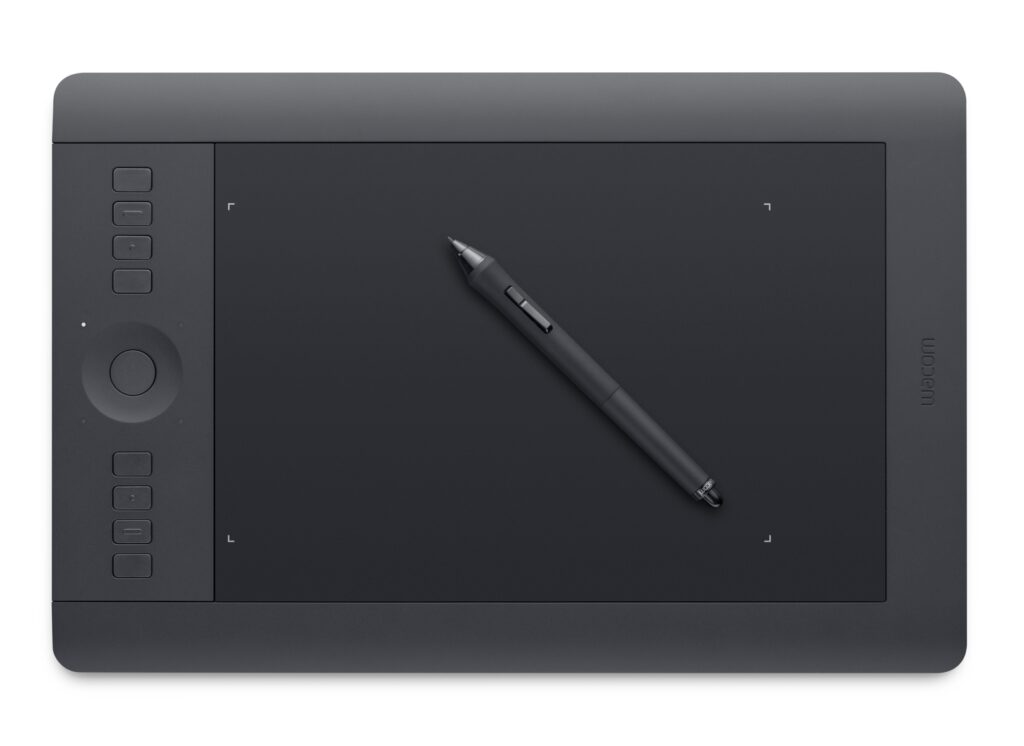
The teacher uses a Wacom tablet or similar device to draw and annotate live during the lesson.Visual content is projected immediately, both on the screen in the classroom and for the participants in distance learning.
Screen display in the classroom - for face-to-face teaching
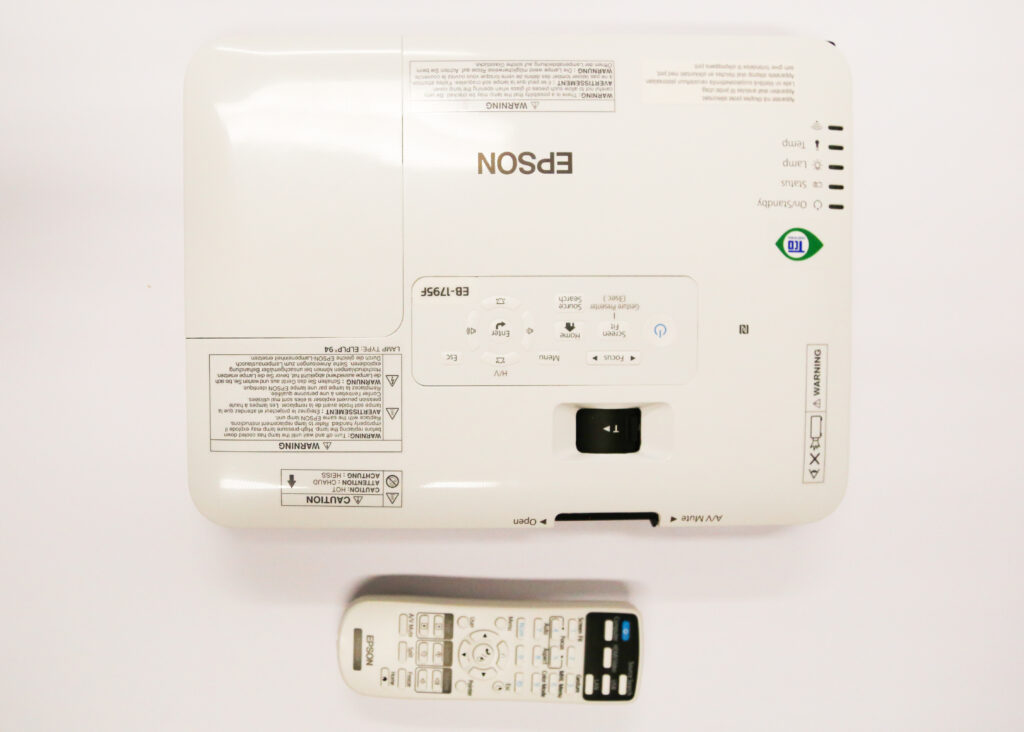
Use a projector or digital display to show the output of the Wacom tablet and the Miro board to all students in the classroom.
Technical - Setup No.1
Tools and infrastructure
Interactive storytelling & brainstorming Use visual stimuli and artistic concepts to support storytelling, brainstorming and idea generation. Ideal for creative subjects, language arts and design thinking.
Collaboration on the whiteboard Involve students in face-to-face and distance learning in real time via a shared whiteboard (Miro-Board). Students and teachers create diagrams, mood boards and mind maps together - visually and collaboratively. This encourages the active participation of all pupils, regardless of their location.
Perfect for educators who want to create content, enhance accessibility, or archive classroom material with professional-quality audio.
Didactics
Technical setup No.2
Teaching & Learning Experience
Tools and infrastructure
AI-supported post-production
Automatic image processing (noise reduction, EQ adjustment). Removes filler words („uh“, „sort of“) for professional results.
Creates subtitles and full transcripts for accessibility, searchability and reuse (e.g. blogs, summaries).
Synthetic speaker voice Optional: Generates synthetic voices or clones the creator's voice for a consistent, high-quality speaker voice - particularly useful for multilingual presentations, corrections or last-minute additions.
Technical - Setup No.2
Tools & Infrastructure
Recording setup
Use a high-quality microphone, a webcam and optional lighting for clear voice and presence recordings.
Record alone or in small groups, in the studio or on the go with mobile devices.
In the eTeach network, we deal with the challenges and potential of artificial intelligence in university teaching on a thematic level and provide a practical and creative tool in the form of the prompting station. >>> more about the prompting station
Studios & technology rental
e-Tent Studio in the eTeach office (Amalienstrasse)
Our studio is professionally equipped for pre-recording lectures and presentations:
Green screen for individual backgrounds
Cameras for face and bird's eye view
Teleprompter,
High-quality sound and lighting system (2 lights + 2 reflectors)
Ideal for teachers who want a professional and appealing video.
You are currently seeing a placeholder content of Vimeo. To access the actual content, click on the button below. Please note that data will be passed on to third-party providers.
Do you need to bring the studio to your event or an external location?We offer a mobile version of the e-Tent setup - with full support so you can run hybrid sessions, record live content or stream from anywhere.
You are currently seeing a placeholder content of Vimeo. To access the actual content, click on the button below. Please note that data will be passed on to third-party providers.
You are currently seeing a placeholder content of standard. To access the actual content, click on the button below. Please note that data will be passed on to third-party providers.
You are currently seeing a placeholder content of standard. To access the actual content, click on the button below. Please note that data will be passed on to third-party providers.
You are currently seeing a placeholder content of standard. To access the actual content, click on the button below. Please note that data will be passed on to third-party providers.
You are currently seeing a placeholder content of standard. To access the actual content, click on the button below. Please note that data will be passed on to third-party providers.
You are currently seeing a placeholder content of standard. To access the actual content, click on the button below. Please note that data will be passed on to third-party providers.